
Internet Speed Monitor Guide: Catching ISP Throttling
The "Snapshot Illusion" of Speed Tests
Most internet users experience what network engineers call the "Snapshot Illusion." Your Zoom call freezes, so you immediately open a new tab and click "Go" on a speed test. The test runs for 15 seconds and tells you everything is perfect: 500 Mbps download, 20ms ping. So why did your call drop?
Because network failures rarely happen consistently. They happen in micro-bursts. Your router's processor might have briefly stalled. Your ISP might have momentarily dropped a routing table. Your neighbor's microwave might have flooded the 2.4GHz spectrum for exactly 10 seconds. By the time the standard speed test starts running, the network has already recovered. The snapshot is clean, but the patient is still sick.
How an Internet Speed Monitor is Different
An internet speed monitor, like our Continuous Live Monitor, does not run for 15 seconds and stop. It runs indefinitely, sending thousands of lightweight telemetry packets per minute. It acts as an EKG for your network, graphing the real-time heartbeat of your connection.
Because it runs continuously, it gives you the one thing a snapshot test cannot: Context over Time. You can visually see exactly when your ping spikes and exactly how long a dropout lasts.
3 Things You Can Only Find With a Continuous Monitor
1. ISP Peak-Hour Node Congestion
If you have a Cable internet connection, you share a local neighborhood "node" with dozens of other houses. If your ISP oversold that node, your speeds will plummet when everyone starts streaming Netflix at 8 PM. By running a continuous monitor in the background from 5 PM to 10 PM, you can watch the exact minute the neighborhood congestion kicks in and the exact minute it clears up. This graph is powerful evidence if you need to complain to your ISP.
2. The Bufferbloat Spikes
Is your network fast until someone else in the house uploads a file? That is Bufferbloat. Start a continuous speed test, then grab your phone and start syncing a large video to iCloud. If the graph on your computer suddenly shows your ping spiking into the hundreds of milliseconds, your router is failing to queue traffic properly.
3. Hidden Wi-Fi Dead Zones
Start a continuous monitor on your laptop and slowly walk through your house. You will physically see the line drop as you walk behind the refrigerator, step onto the patio, or enter a room with thick plaster walls. It allows you to map the exact boundaries of your router's wireless range with pinpoint accuracy.
Catching Active ISP Throttling
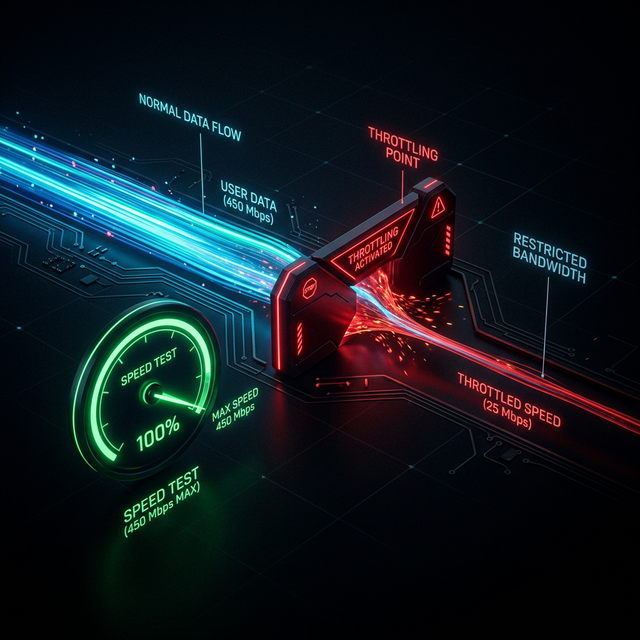
Some ISPs actively throttle specific types of traffic, like video streaming or peer-to-peer downloads. If you suspect this is happening, you can use a continuous monitor alongside a VPN. Start the monitor and establish a baseline of your connection. Then, turn on your VPN. If your speed graph drops significantly, it's just the overhead of the VPN encryption. But if your connection to specific services suddenly becomes *faster* while the VPN is active, it means your ISP was actively throttling your unencrypted traffic.
Related Tools
Continuous Speed Test
Our flagship live monitor. Catch dropouts and graph your internet heartbeat over time.
Jitter Test
Specifically measure the variance in your ping to diagnose micro-stutters and lag.
Continue Reading
Is Your ISP Throttling You? Here's How to Tell

Why Is My Internet Slow at Night?

Why Is My Internet Slow? 10 Causes & How to Fix Them
Is your connection unstable?
Don't just guess. Use our real-time monitor to see exactly what's happening with your download, upload, and ping variance right now.
START REAL-TIME TEST